Turning multiplication practice into playable learning games
Summary
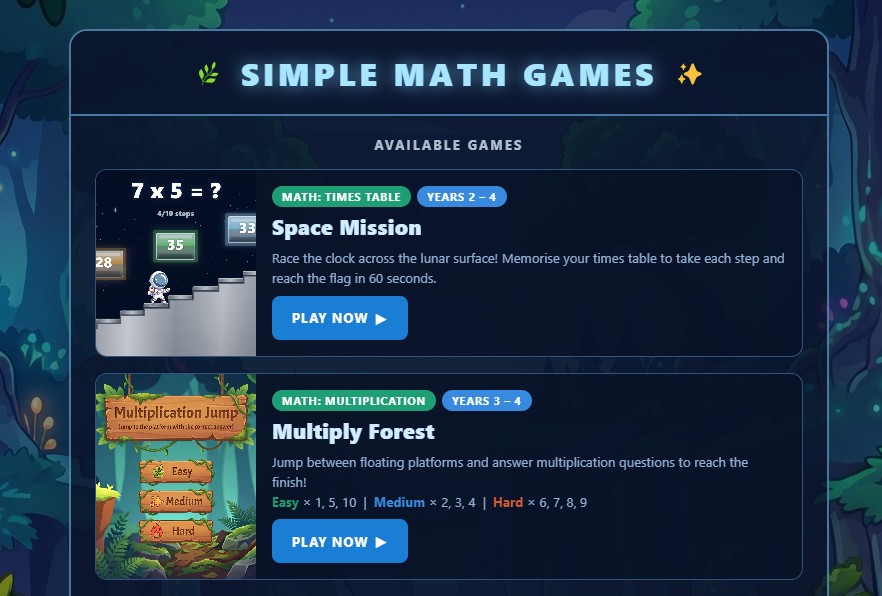
This self-initiated product experiment explores how AI-assisted workflows can speed up the creation of live, browser-based educational games.
I designed and built a small library of playable maths games that turn multiplication practice into short, goal-based challenges. The project combines product design, eLearning strategy, gamification, visual design, and AI-assisted front-end development.
Live site:
Product challenge
Maths fluency needs repetition, but repetition can quickly feel like a worksheet.
The challenge was to make multiplication practice feel more active and rewarding by connecting each answer to visible game progress.
Learning Model
The product idea was simple: maths fluency needs repetition, but repetition does not have to feel like a worksheet.
| Learning need | Game response |
|---|---|
| Repetition | Repeated multiplication questions |
| Motivation | Movement, goals, timer, and finish state |
| Progress | Steps, platforms, and mission completion |
| Differentiation | Difficulty levels by times table group |
| Expandability | New themes and mechanics can be added later |
Each game uses simple mechanics to turn repeated practice into visible progress.
AI tool stack
| Tool | How I used it |
|---|---|
| LLM - ChatCPT | Evaluating concepts, generating prompts to be used in another AI (i.e. prompt to generate prototype, prompt to generate interface) |
| LLM - Claude | Building project plan and designing architecture |
| Claude Code | Generating first pass prototype, multi-file coding, debugging, implementation changes, and iteration across the project structure. |
| Codex | Mainly used to refactor and troubleshot front-end code at much less cost than Claude. Useful for moving quickly from concept to working browser-based interactions. |
| Google Flow | Used for visual and motion exploration, especially cinematic concepts, scene direction, and potential promotional assets. |
| Nano Banana | Used for fast visual concept generation, game assets and image-style exploration. |
| Manual design judgement | Used to decide what to keep, simplify, restructure, or discard. I also used Adobe Photoshop and Illustrator to refine assets where prompting alone was not precise enough. |
Key point: AI accelerated production, but the product and design decisions still needed human judgement.
AI-assisted delivery
I used AI as a build accelerator, not as a replacement for design thinking.
The process looked like this:
- Define the learning goal and game mechanic.
- Use AI to generate a working HTML, CSS, and JavaScript base.
- Test the interaction manually.
- Refine layout, flow, difficulty, and visual presentation.
- Debug behaviour and polish the experience.
- Deploy the live browser-based games.
This helped me move quickly from idea to working product while still applying UX, eLearning, and front-end judgement throughout the process.
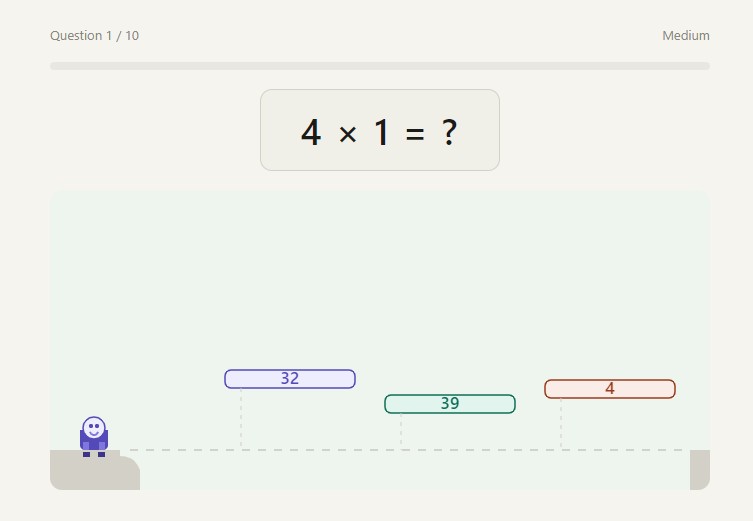
Prototype generated by Claude
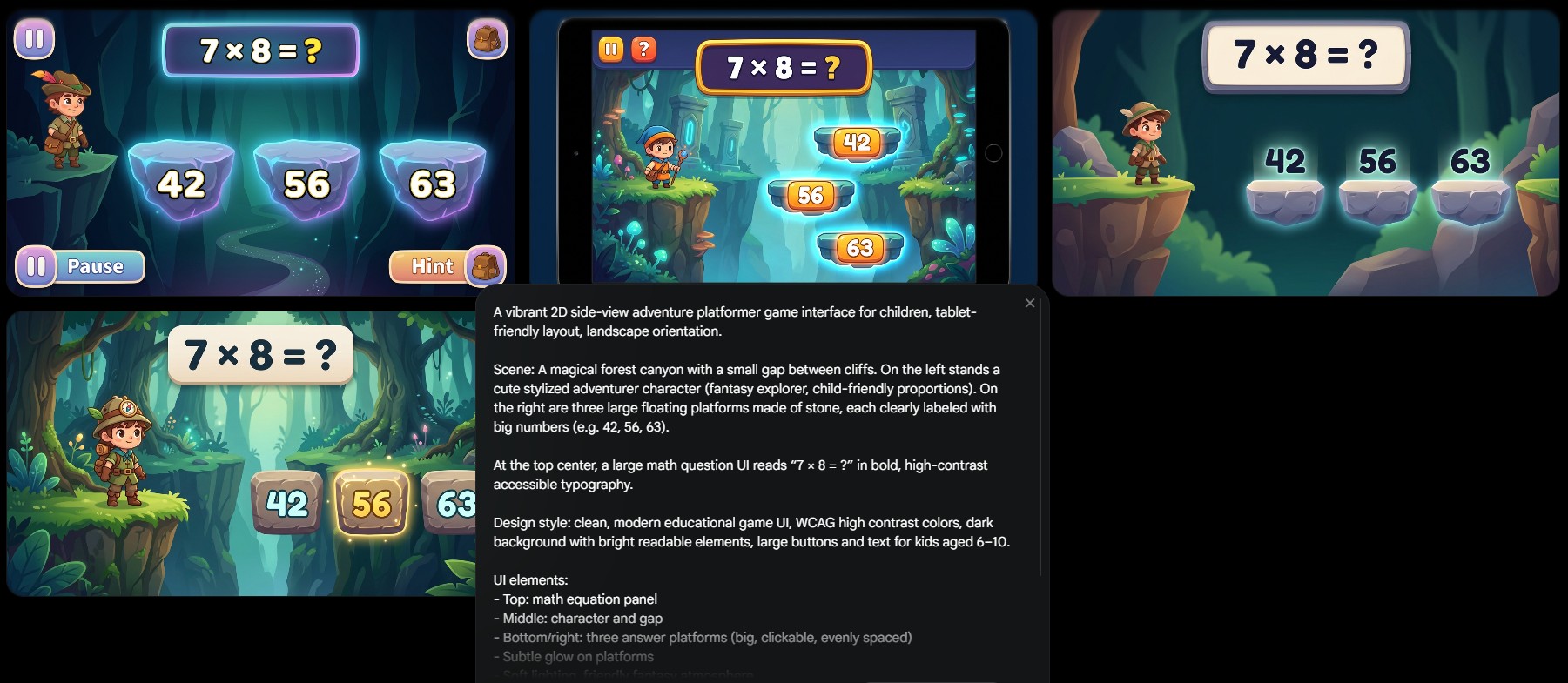
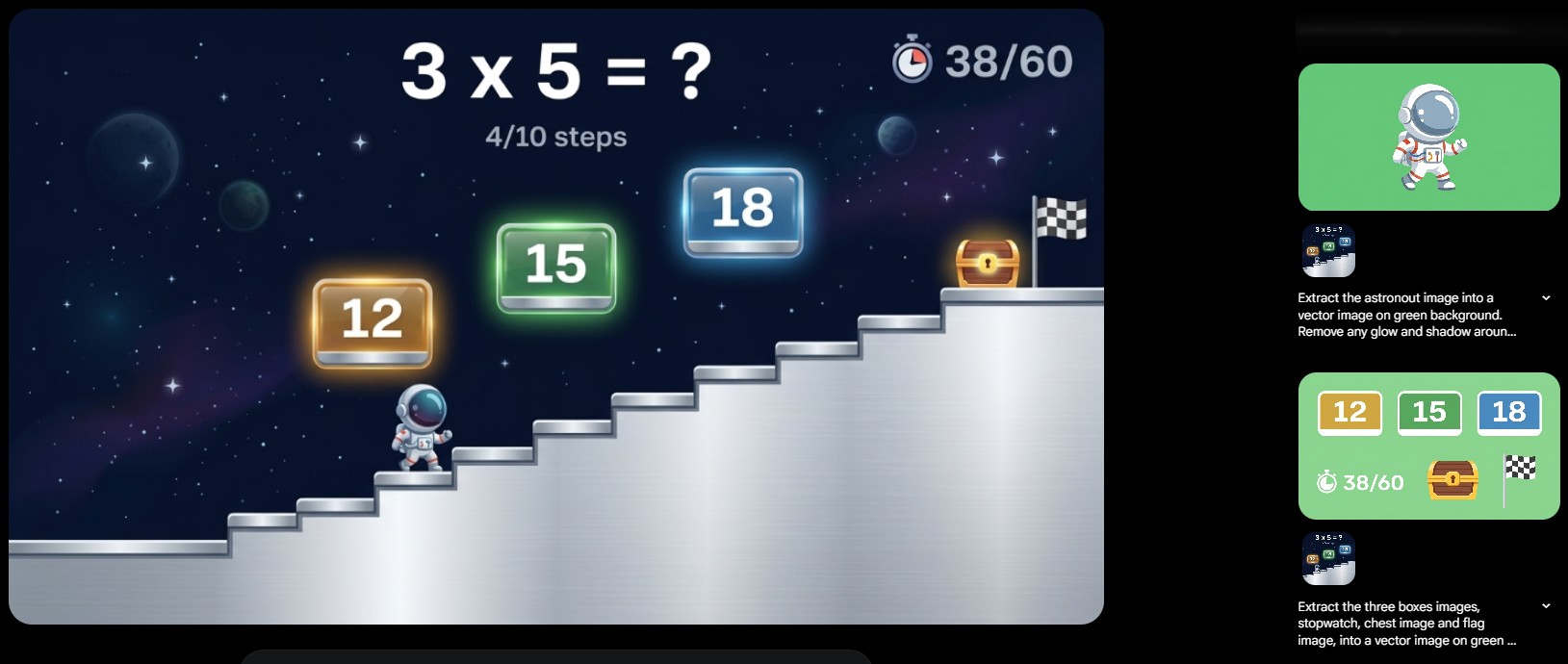
Interface and Game Asset generated using Nano Banana
Extracting game assets using Google Flow:
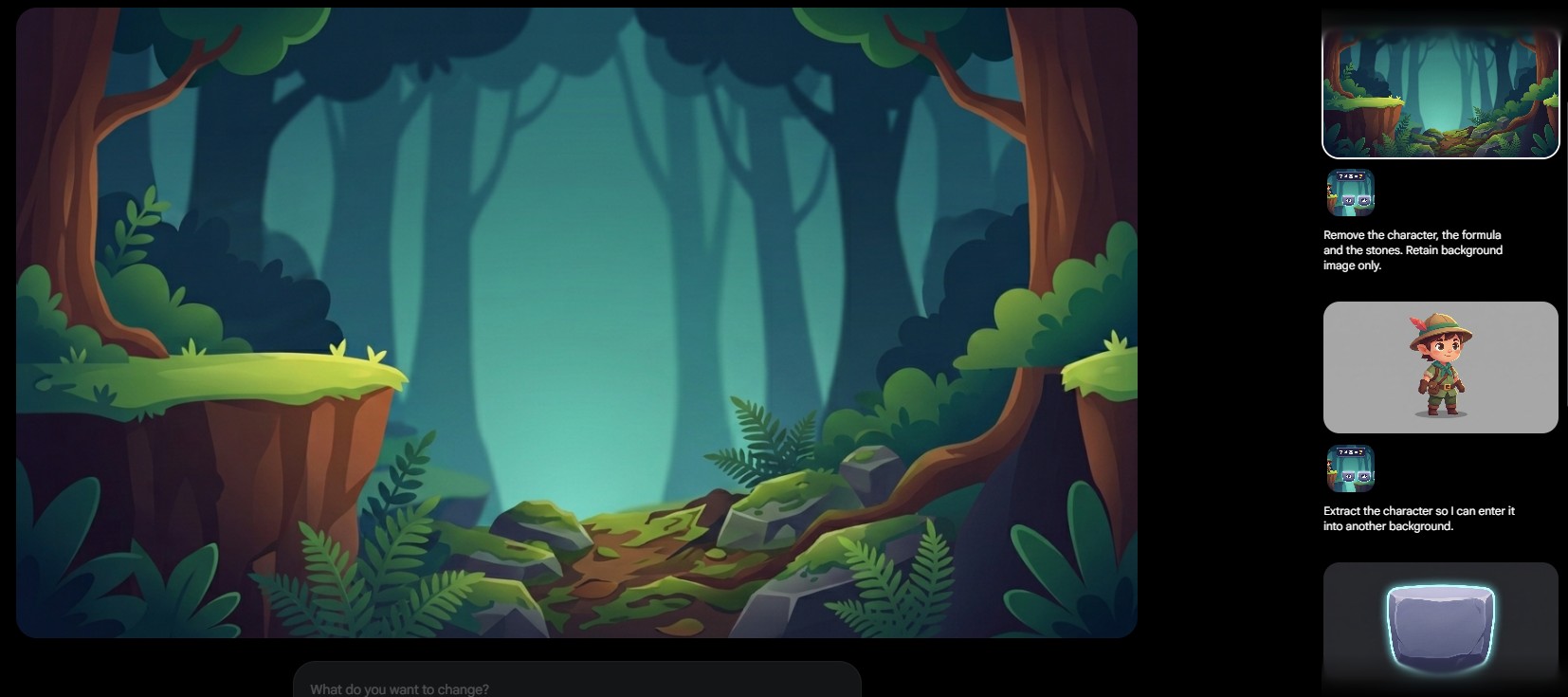
and
What I learned
This project reinforced three things.
- AI is strongest when the product direction is clear Better prompts came from better product decisions. The clearer the learning goal and game mechanic, the more useful the AI output became.
- Playable products reveal problems static designs miss Timing, difficulty, game feel, and interaction flow only became obvious once the games were playable. A static mockup would not have shown whether the experience felt too slow, too easy, too confusing, or too repetitive.
- Designers who can build with AI have a major advantage AI-assisted development reduces the gap between idea and execution. It allows designers to test ideas earlier, communicate more clearly with engineers, and explore working solutions instead of relying only on static screens.
Closing thought
AI accelerated the build. Product thinking shaped the outcome.