Using AI to generate ALS Simulator: from unfamiliar domain to interactive prototype
Summary
Role: Product Designer & AI-assisted prototyper
Output: Interactive concept prototype, illustrative data
I used AI to create Recorder, an app concept that helps instructors facilitate Advanced Life Support (ALS) training. It turns the data captured during a simulated cardiac arrest into a timeline and a set of discussion points for the debrief afterwards.
This project is about how I used AI to learn the domain, generate a working prototype, and iterate it as my understanding grew.
The mental model AI helped me build
I am not a clinical subject matter expert. My understanding of cardiac arrest came from movies, so I used AI to build a simplified working model of the process. It guided the prototype and still needs expert validation.
- Simulation: a team responds to a simulated cardiac arrest: recognise it, start CPR, deliver a shock if the rhythm calls for it, and continue care until the scenario ends.
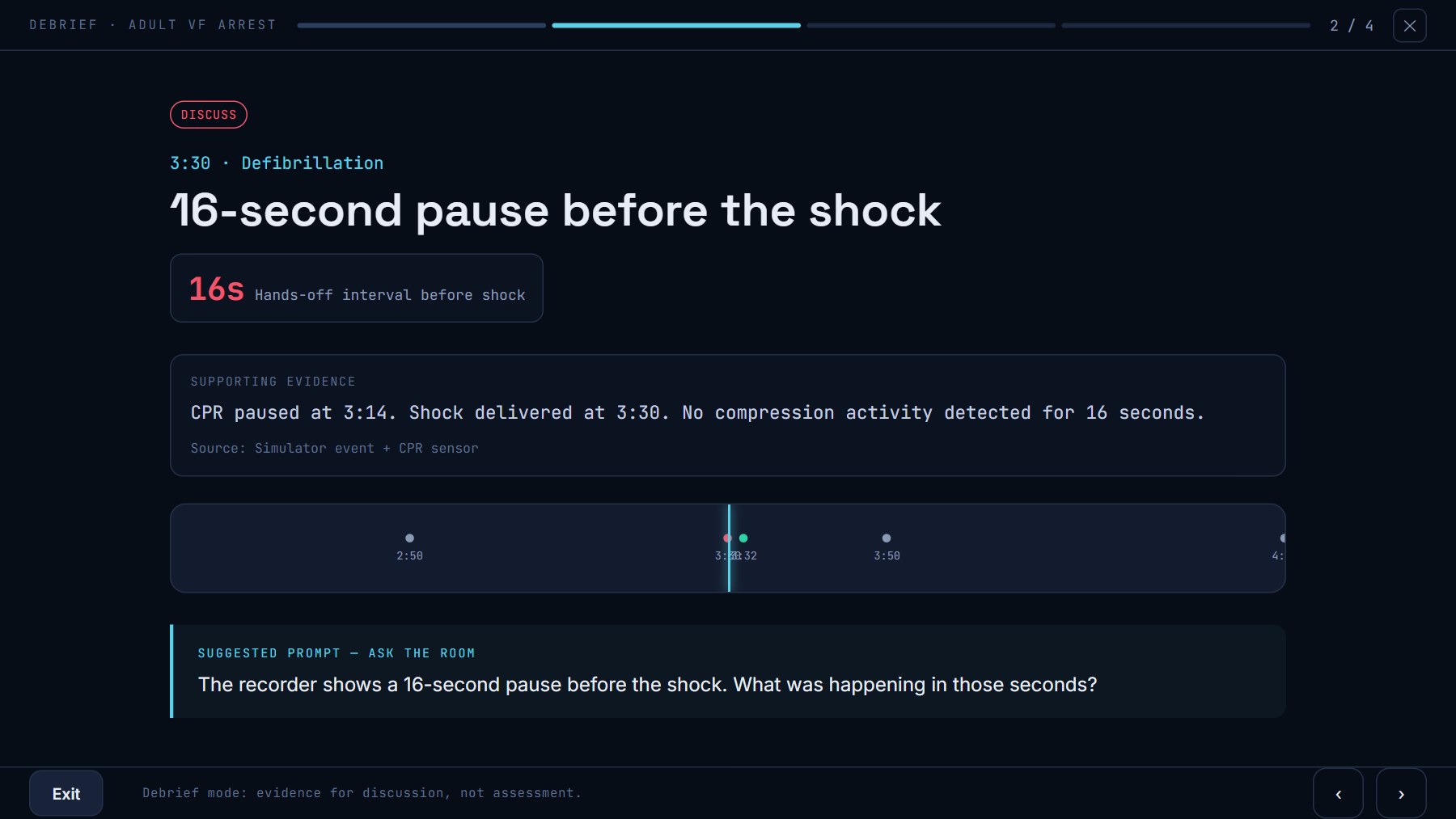
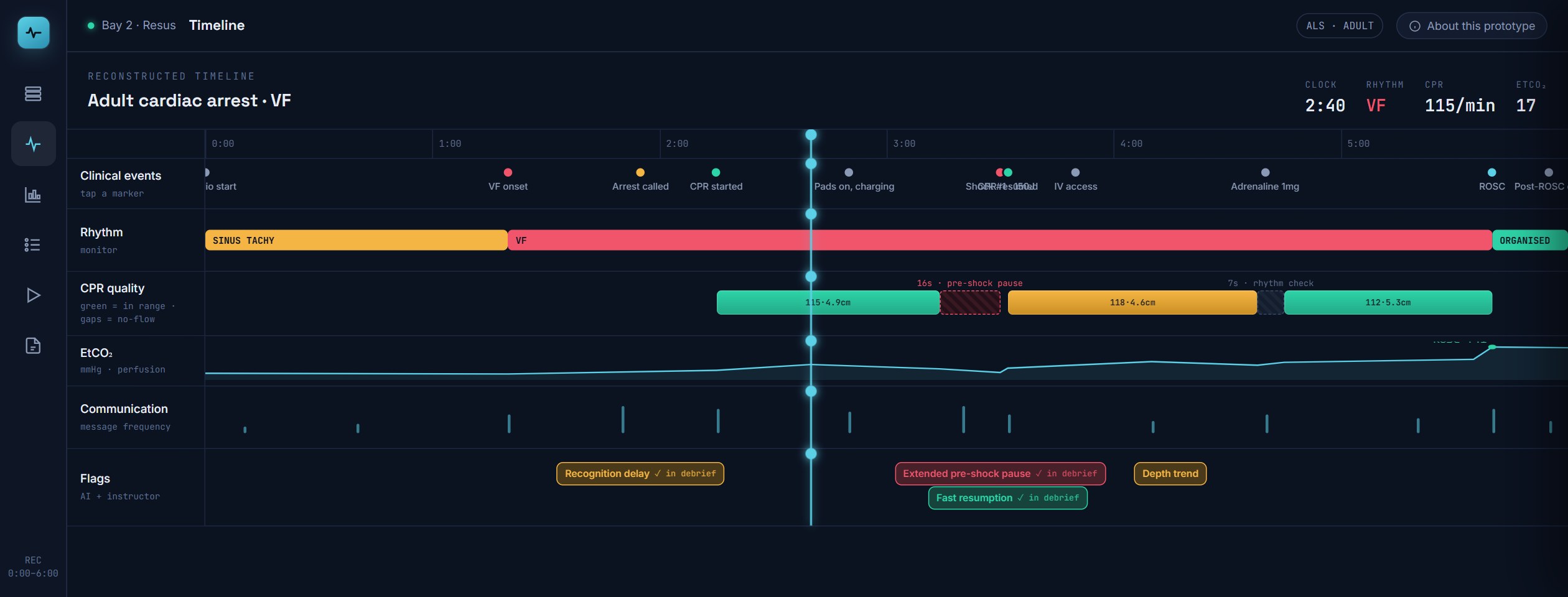
- Data: the simulator records time-stamped events, heart rhythm and CPR quality. In the concept, the app rebuilds these on a timeline, and AI flags moments with supporting evidence.
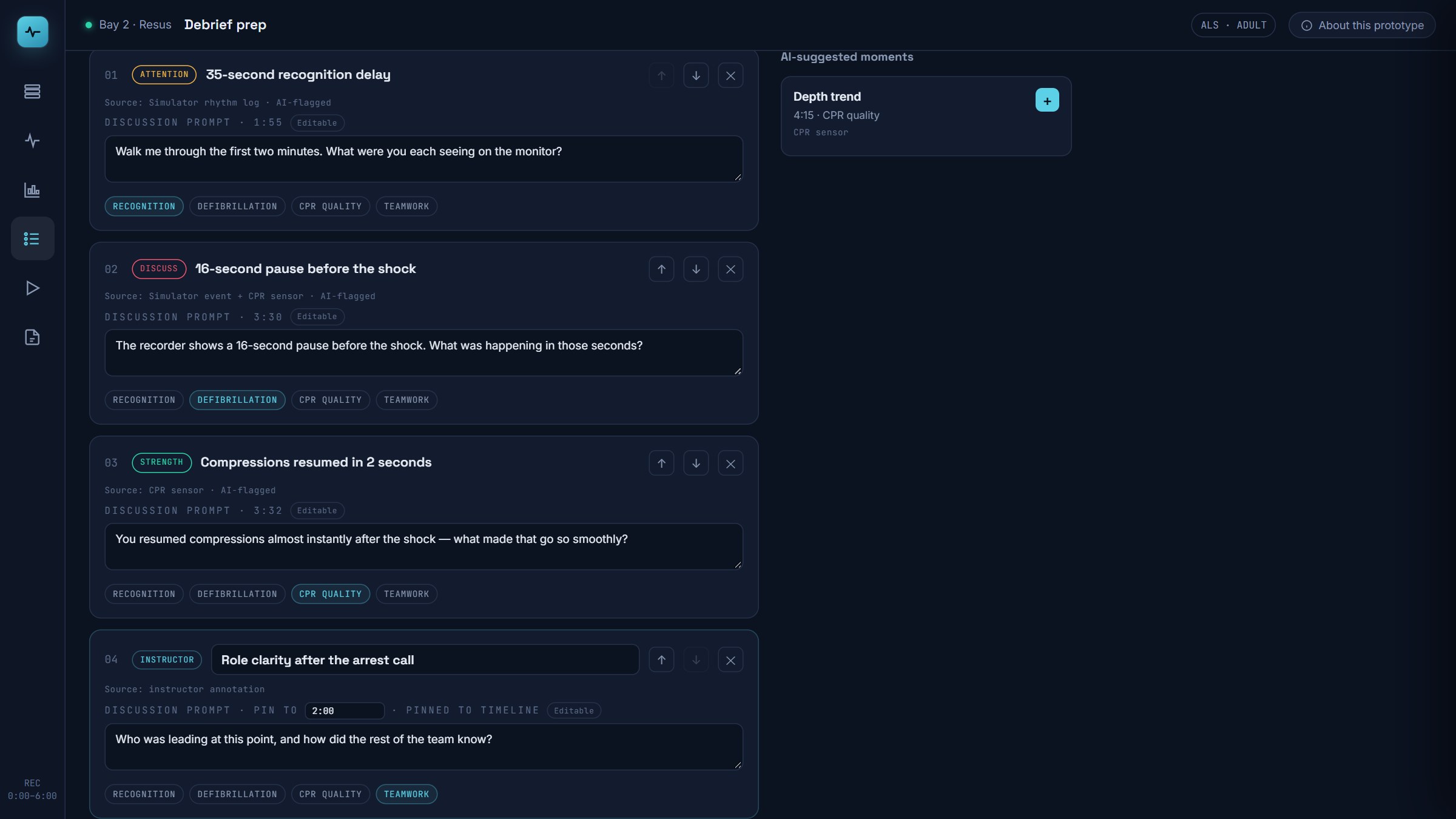
- Debrief: the instructor chooses which moments to discuss, adds their own, and leads the conversation with the team.
The challenge
The domain challenge: ALS simulation is a specialist field with its own terminology, thresholds and teaching practice. I had to understand enough of it to direct the AI and question what came back.
The generation challenge: AI can produce screens quickly, but it does not decide which product is worth making. The direction, the boundaries and what to leave out still needed a human.
AI tool stack
| Tool | How I used it |
|---|---|
| Claude & ChatGPT | Building a mental model of CPR and cardiac arrest, and gathering information such as existing products in the market |
| Custom Claude skill | Supporting my UX discovery workflow with a skill I built myself |
| Claude Cowork | Generating the initial prototype, then iterating it as I learned more and fed in more sources |
| Claude Code | Refining the prototype |
| ChatGPT | Testing and checking the prototype |
Key point: each tool had a specific job. None of them owned the product decisions.
How I generated it
1. Learn the domain with AI
I started with understanding, not screens. Claude and ChatGPT helped me form a mental model of what happens during a cardiac arrest simulation and look at what already exists in the market.
My custom Claude skill supported the UX discovery work, including the core problem: debriefs depend on accurately reconstructing fast-moving events, often from memory and handwritten notes.
2. Turn understanding into a product direction
Before refining the output, I needed clear constraints for the AI to work within:
- Use structured simulator data only, with no audio, video or images
- Treat AI observations as suggestions, never clinical judgement
- Keep the debrief at team level, with no individual scoring
- Leave the instructor in control of what is used
3. Generate the first prototype
I used Claude Cowork to generate the initial prototype as a browser-based app with working interactions. A sequence of fast-moving events became an interface I could click through and critique.
4. Iterate as my understanding grew
The prototype and my domain knowledge developed together. As I learned more, I fed more sources into the project and iterated the output.
Some of the most important decisions were about restraint. I considered adding AI-generated “what-if” scenarios, then left them out. They would have turned a tool for reviewing what happened into one that speculates about what might have.
5. Design how AI behaves inside the app
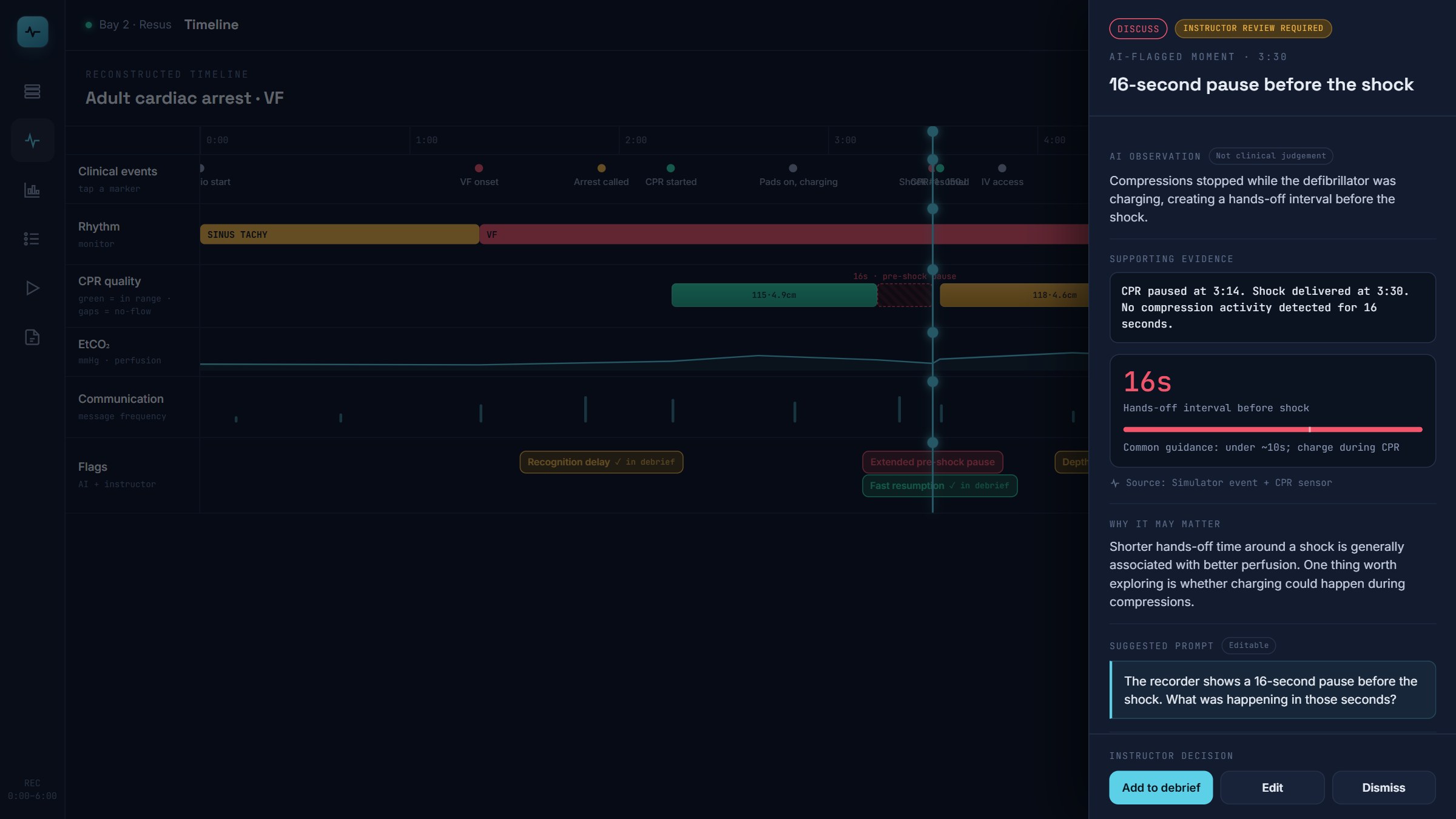
AI shaped the product as well as the process. The concept includes AI-flagged moments, so I had to define how those suggestions should earn trust. Each one shows its evidence and source, is labelled “Not clinical judgement”, and can be edited or dismissed.
AI suggests. Evidence explains. Instructor decides.
What AI did, and what stayed human
| AI | Human judgement |
|---|---|
| Explained unfamiliar clinical concepts | Deciding what was relevant to the product |
| Gathered information on existing products | Framing the problem and the product goal |
| Generated and iterated the prototype | Choosing what to keep, change or leave out |
| Helped refine, test and check the prototype | Setting the safety boundaries and assumptions |
The limits of AI generation
AI helped me move from an unfamiliar subject to an interactive prototype. It did not make me, or the prototype, clinically authoritative.
The data is illustrative, and the clinical content still needs review by simulation educators and clinical experts. I did no code quality checks, and it is a desktop-first concept rather than production-ready engineering.
What I learned
- AI can shorten the path into a new domain, but not replace expertise. It helped me learn enough to design a concept. Knowing what still needed an expert was part of the job.
- Generation and understanding feed each other. Seeing the prototype raised better questions, and better sources improved the next iteration.
- Constraints matter as much as prompts. Deciding what AI should not do gave the product its shape.
- Explainability is a design decision. If AI makes a suggestion, people need to see why and be able to reject it.
Closing thought
AI generated the prototype. Human judgement decided what it should be, and where AI should stop.